What Completed creative work and active side projectsCadence Daily to weeklyWhy The practice never stops
The playground is for demos you can drive. This is the diary of everything else.
The AI portfolio showcases products you can interact with directly.
This page documents completed creative work and active side projects:
AI experiments and workflows I explore to find out what these tools
can really do. Each entry explains the process, where AI contributes,
and how the tools and integrations fit together.
Beloved Dance: From Blender Previz to a Finished Music Video
Completed · Oct 30, 2026
5:58 · 1080p · 24 fps
Written, edited and directed by Kevin Gandy · Music by Suno · Watch on YouTube
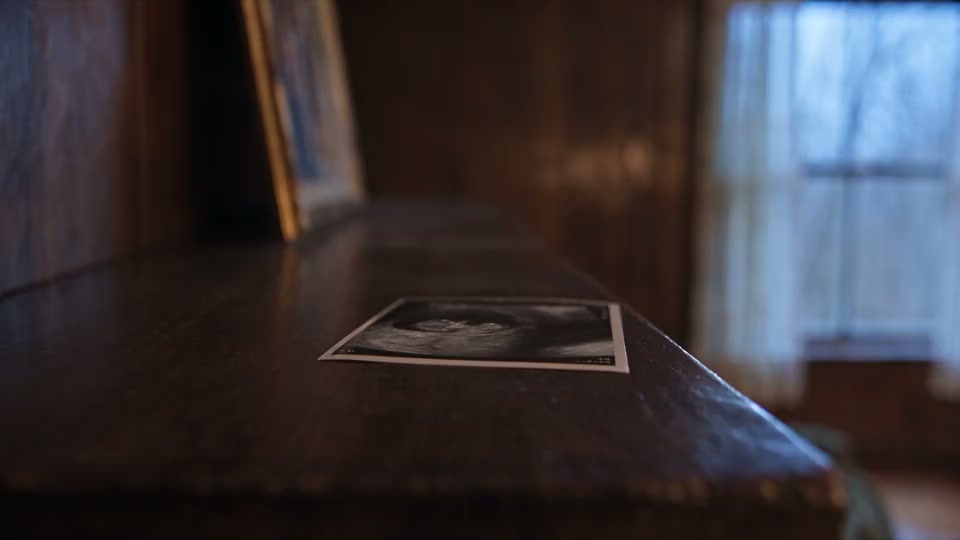
Beloved Dance is a personal music video about love, loss, and the moments a family imagined. A father looks through photographs that initially include his daughter. As the song progresses, those imagined memories give way to photographs without her. The story moves through childhood, birthdays, graduation and a wedding, before returning to the parents together.
I wrote, edited and directed the video, with music created using Suno and video generated through Higgsfield AI using Seedance 2.5. The visual production took about six weeks, from preproduction in September to the final export on October 30. The song was created in July, a short teaser followed in September, and the full video came together through October.
Planning the shots before generating them
The process started with a lyric map, shot list, character references, environment references and camera-style guides. Claude helped with planning, prompts, documentation and the connected production workflow.
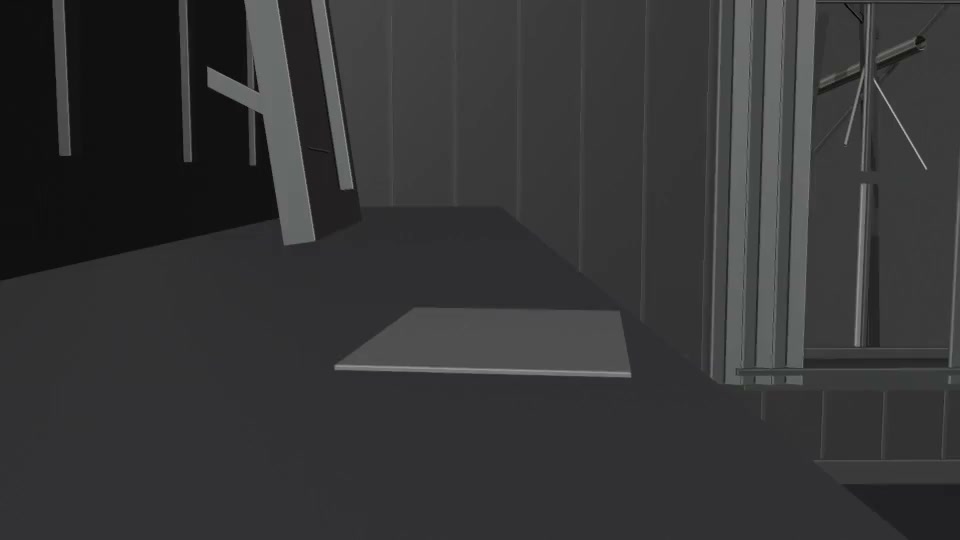
For shots that needed specific camera moves or staging, I blocked the action in Blender using simple grey-box sets and proxy characters. Bedroom, kitchen and wedding sets let me work through camera position, movement and timing before generating finished imagery. Those viewport playblasts became video references for Seedance, while character and style references supplied the intended appearance.
That was especially useful for the doorway push, wedding twirl, top-down angles and falling photographs. Blocking and previz helped reduce trial-and-error generations and therefore overall costs.
Keeping the film consistent
Character, wardrobe, room layout and photo content all needed attention across separate generations. I used a Vision3 500T-inspired look for the moving imagery and a Portra 400-inspired look for the photographic prints. Shared style references helped the many individual clips feel like parts of the same film.
Each shot also had a generation or previz log recording references, takes, feedback and decisions. That made it easier to return to a shot without losing the context behind an earlier choice.
Drafting at 480p, finishing at 1080p
As production progressed, the main workflow became generating drafts at 480p, reviewing them, and upscaling only approved takes to the 1080p target resolution through Higgsfield. This reduced overall costs by keeping rejected takes at draft resolution.
The tradeoff is a sacrifice in quality and fidelity. Upscaling could soften or smear details, particularly the photographs that carry so much of this story. Some shots needed native 1080p regeneration when the upscale did not hold up. The lower-resolution workflow made iteration more manageable, but it did not replace careful review of the finished image.
Editing and compositing
I assembled approved clips in Premiere Pro while generation continued. The edit shaped the story, including the order of the choruses, the transitions between imagined and real photographs, and the final scene of the parents together.
After Effects handled compositing, tracking, alignment and titles. Clean plates, separately composited photographs and matched dissolves solved problems that did not need another full generation.
The biggest lesson was to make camera and staging decisions earlier, keep references consistent, and leave room for traditional postproduction. Blender gave the generation process clearer instructions; editing and compositing brought the separate pieces into a finished film.
I'm the commissioner of a ten-team fantasy football league, and the
league's site is a side project I started to test my AI capabilities
against real demands: regular updating workflows, visual design, and
interactive elements. ESPN stays the official platform for scores
and rosters; this site is the presentation layer on top, and it's
really two sites in one.
The league-facing site is what everyone sees behind the access
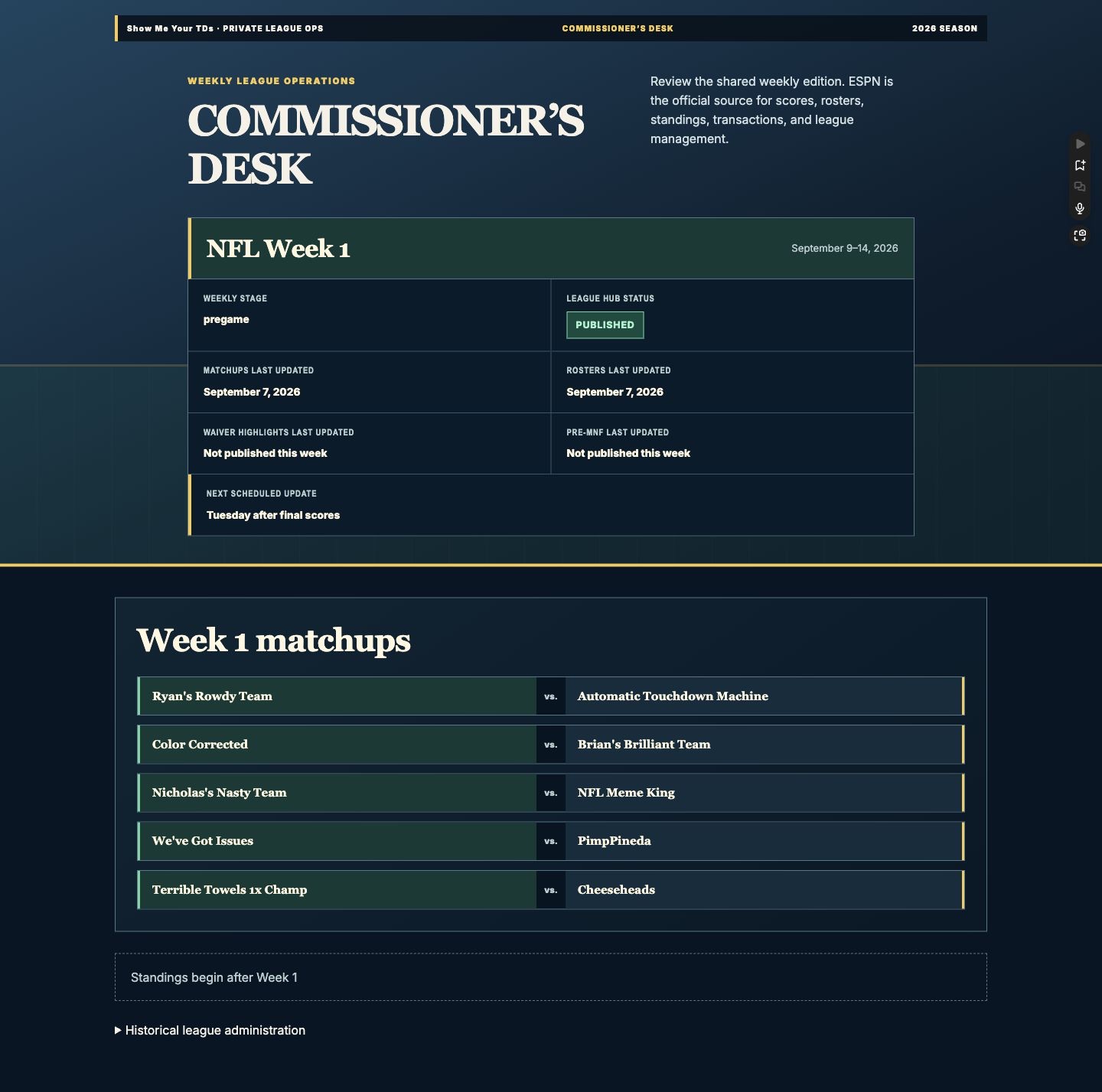
code: weekly matchup boards, roster snapshots, Tuesday recaps, and
Wednesday waiver highlights. The commissioner's site is mine alone:
a Commissioner's Desk that tracks the operational state of the week,
plus the league's administration, from buy-ins and player
registration status to league voting and the draft record.
The workflow is the story: I run ChatGPT Codex agents against
written specs and plans, every release ships with its own test
suite, and each visual release gets dated screenshots filed to a
private archive. The site republishes on a broadcast rhythm, Tuesday
after final scores.
And because a league hub is a show, it knows how to open one.
Code-driven intro animations play once per browser session, keyed to
what just happened in the league:
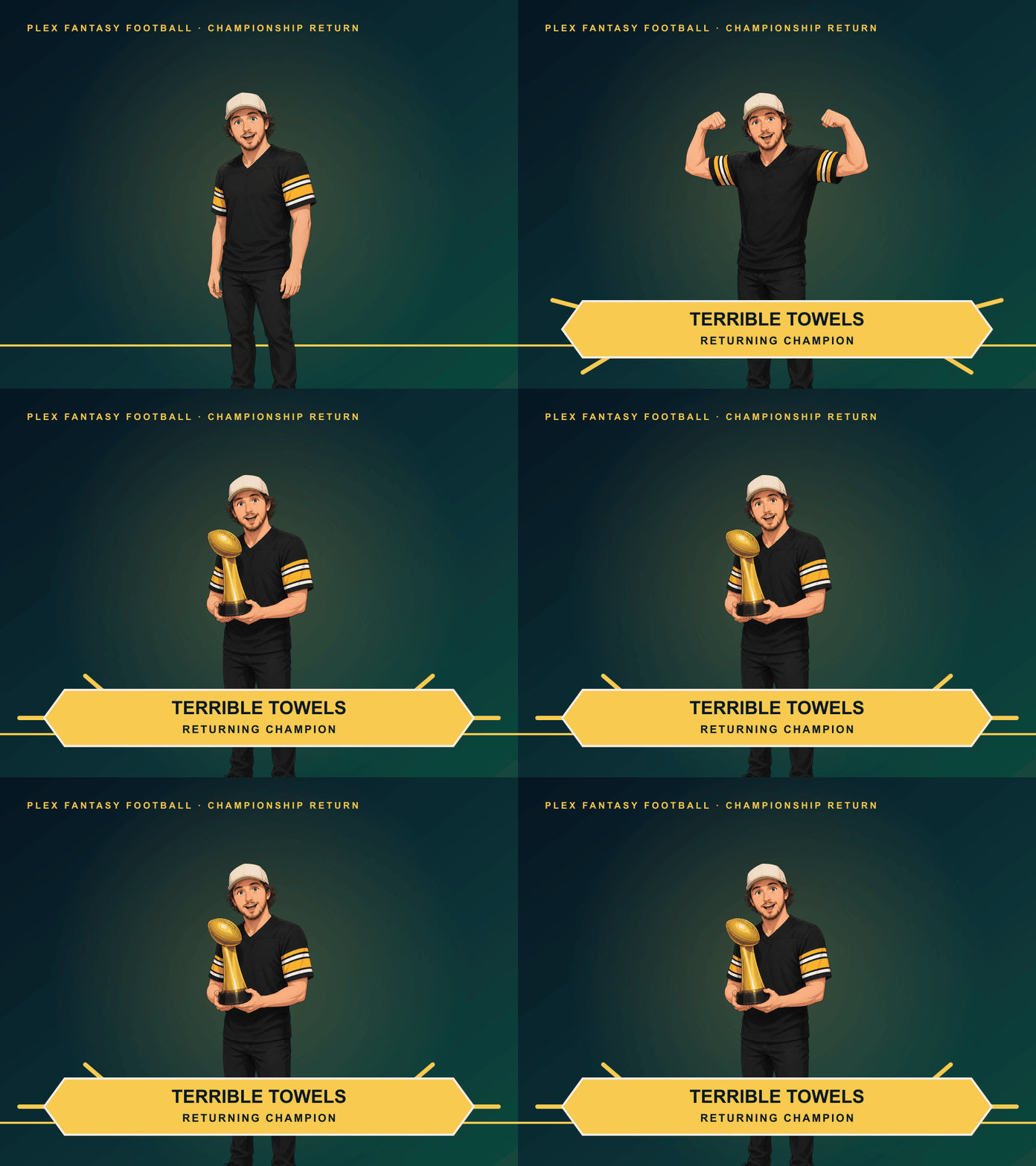
The champ returnsAn anime trophy lift
When last season's champion rejoined and registration closed, everyone's first load played a three-frame anime-style sequence of him lifting the trophy.
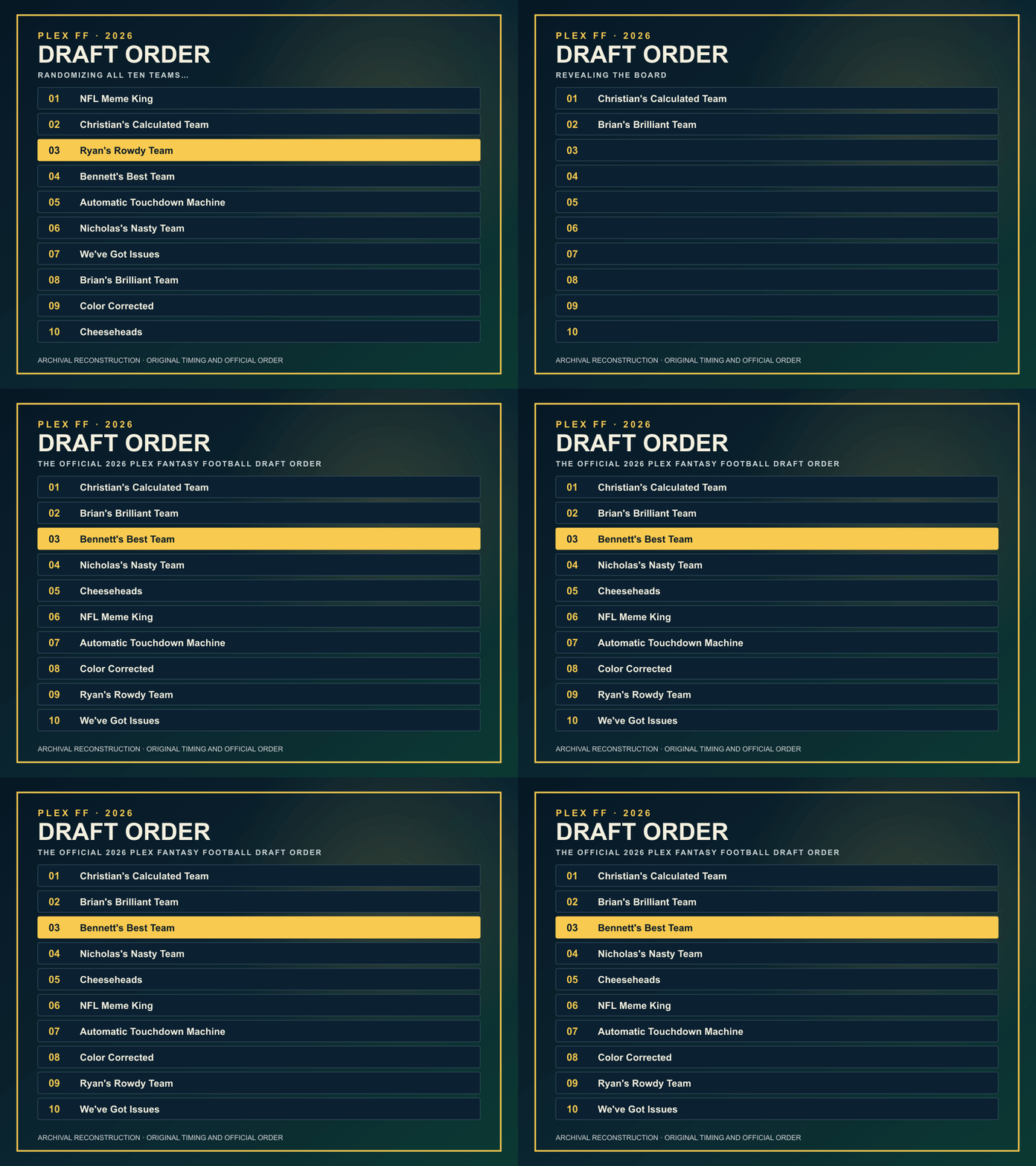
Draft lockThe order shuffle
When the draft board was finalized, the site shuffled the draft order on screen before revealing the official board.
Monday morningsThe weekly cold open
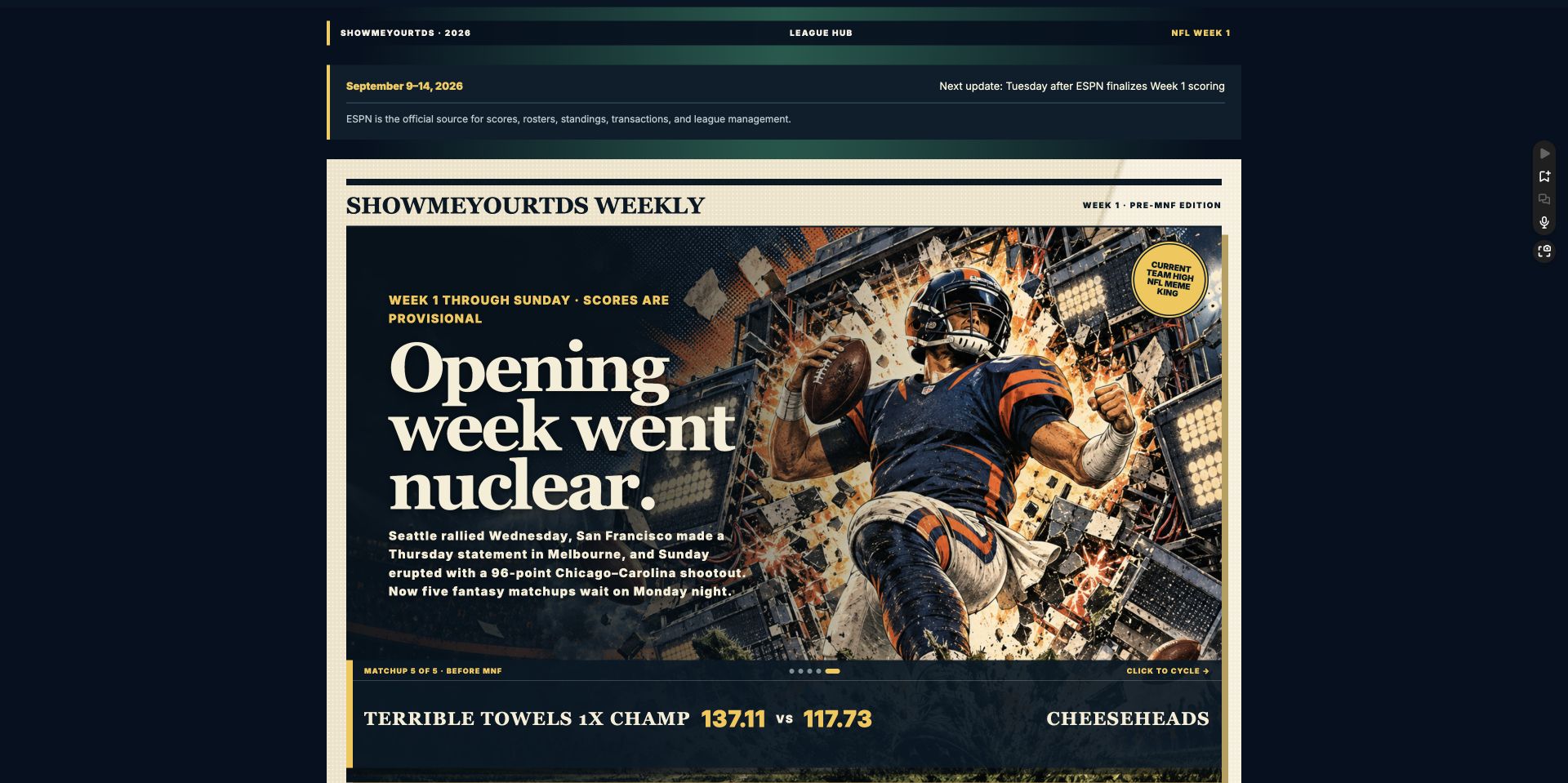
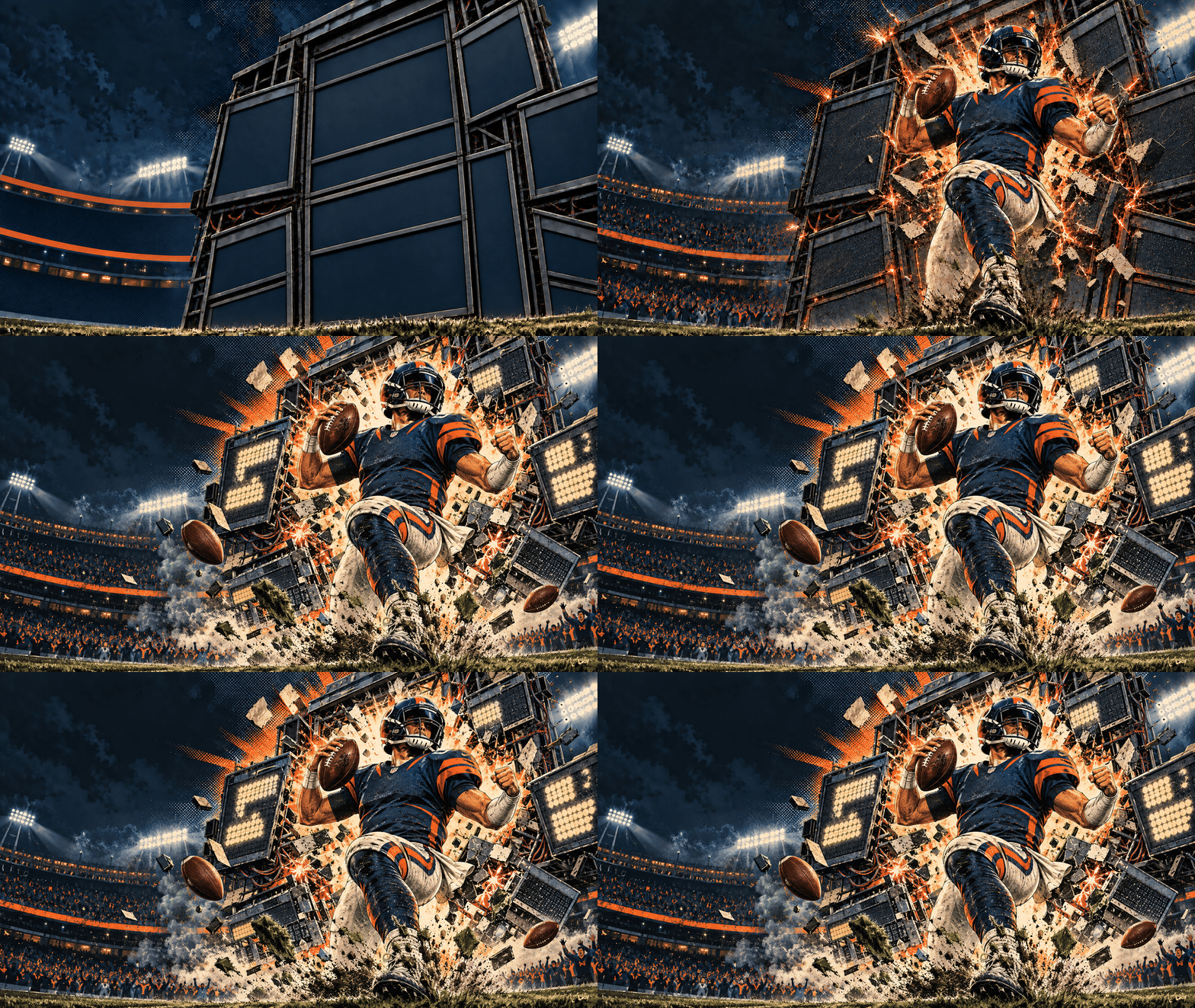
After Sunday Night Football, the new week opens with a single generated animation sequence built from that week's action.
GIF carousel
1 / 6
The champ returns
The champion stands, flexes and lifts the trophy beneath a Terrible Towels banner. Saved production-art frames assembled in the archive.
Click the image or use the controls to explore the saved animations.
Open a saved GIF:
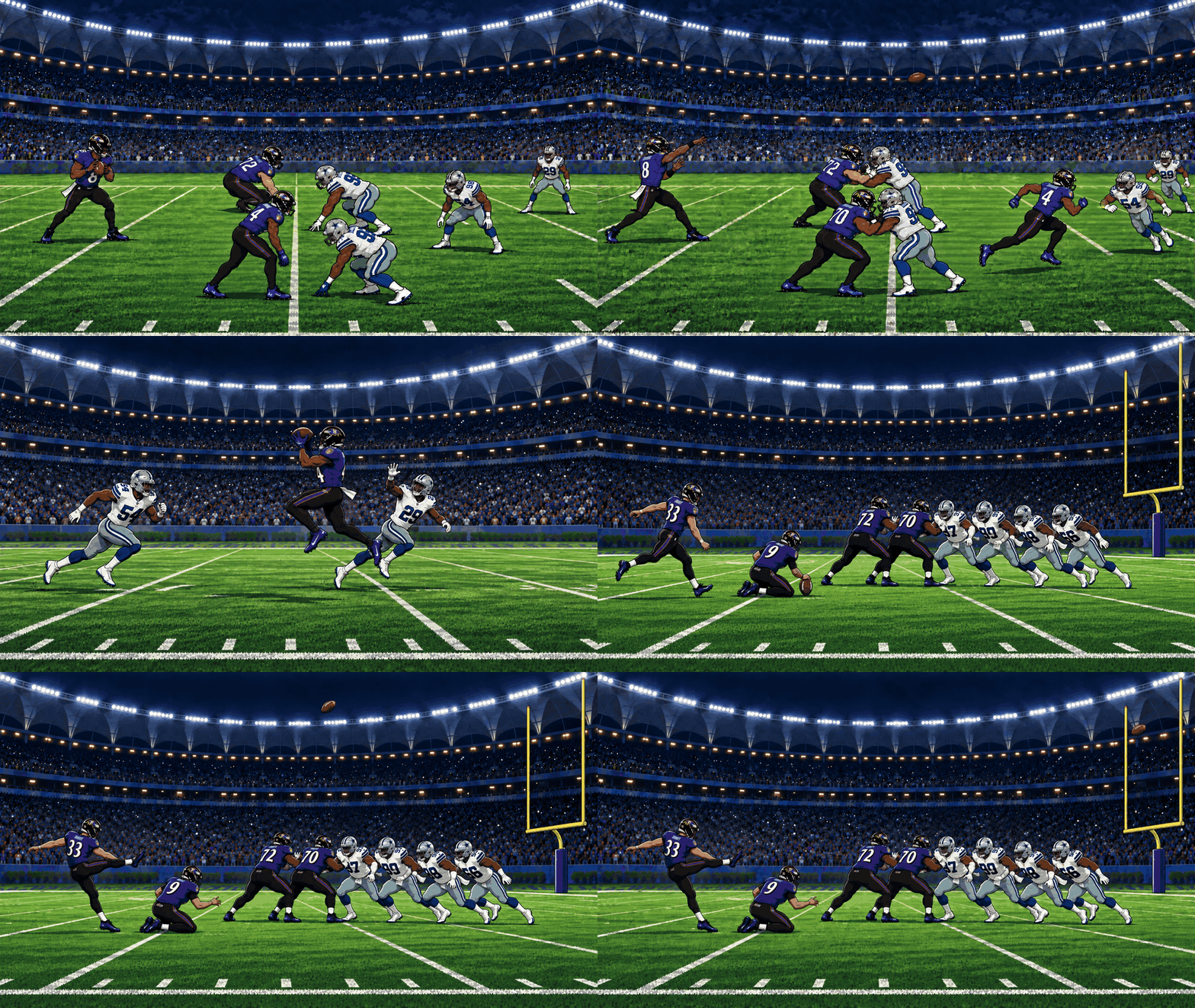
The champ returns — The champion stands, flexes and lifts the trophy beneath a Terrible Towels banner. Saved production-art frames assembled in the archive.
Draft order shuffle — Ten draft rows shuffle before the official order appears. Archival reconstruction from the component timing and official order; not an original browser recording.
Week 1: scoreboard impact — An empty stadium scoreboard gives way to a player impact and an exploding scoreboard. Saved production-art frames assembled in the archive.
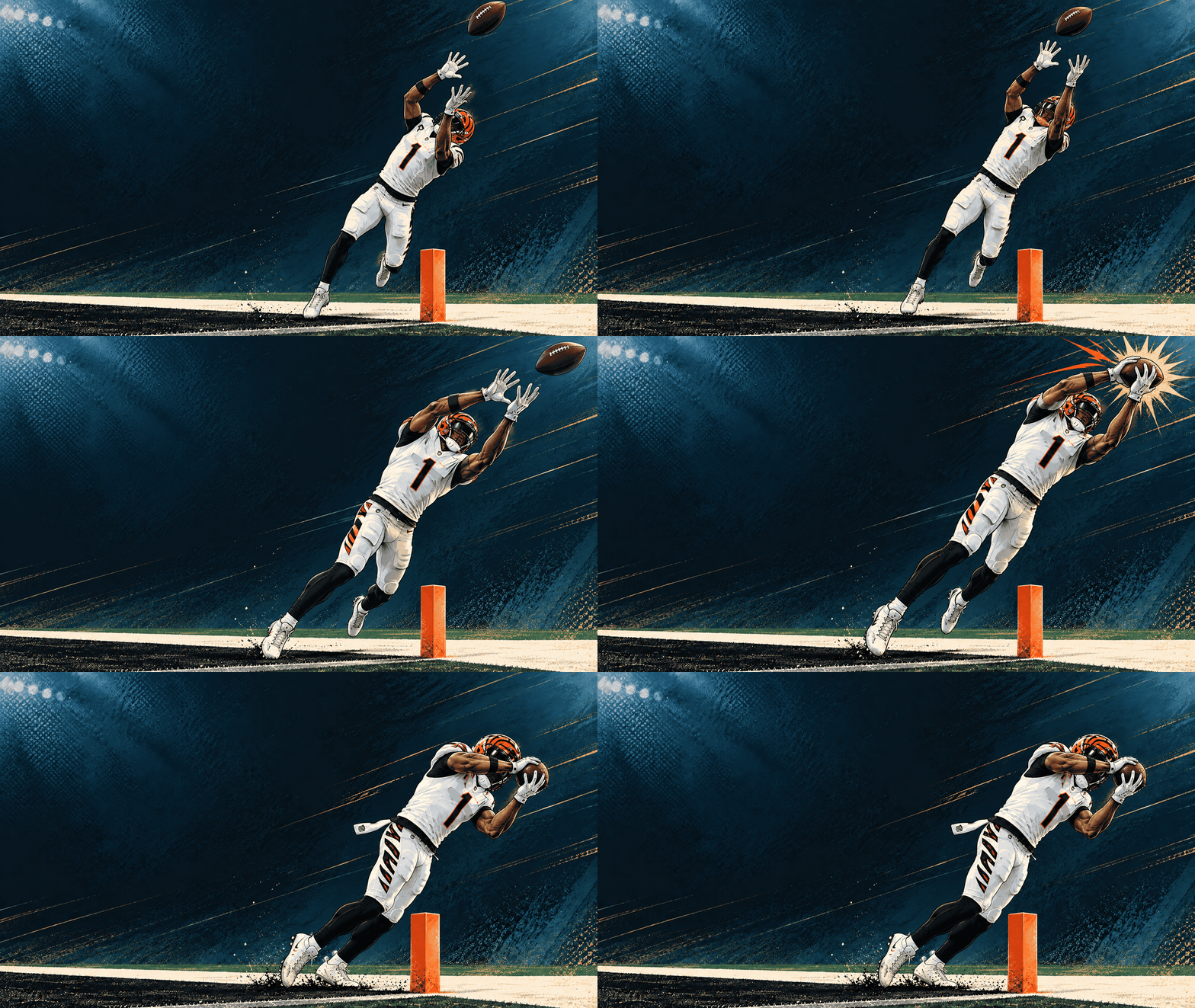
Week 2: Chase at the pylon — Ja’Marr Chase tracks the ball, leaps beside the goal-line pylon and secures the catch. Saved production GIF.
Week 3: catch and field goal — A Lamar-to-Zay catch is followed by Tyler Loop’s field goal. Saved production GIF.
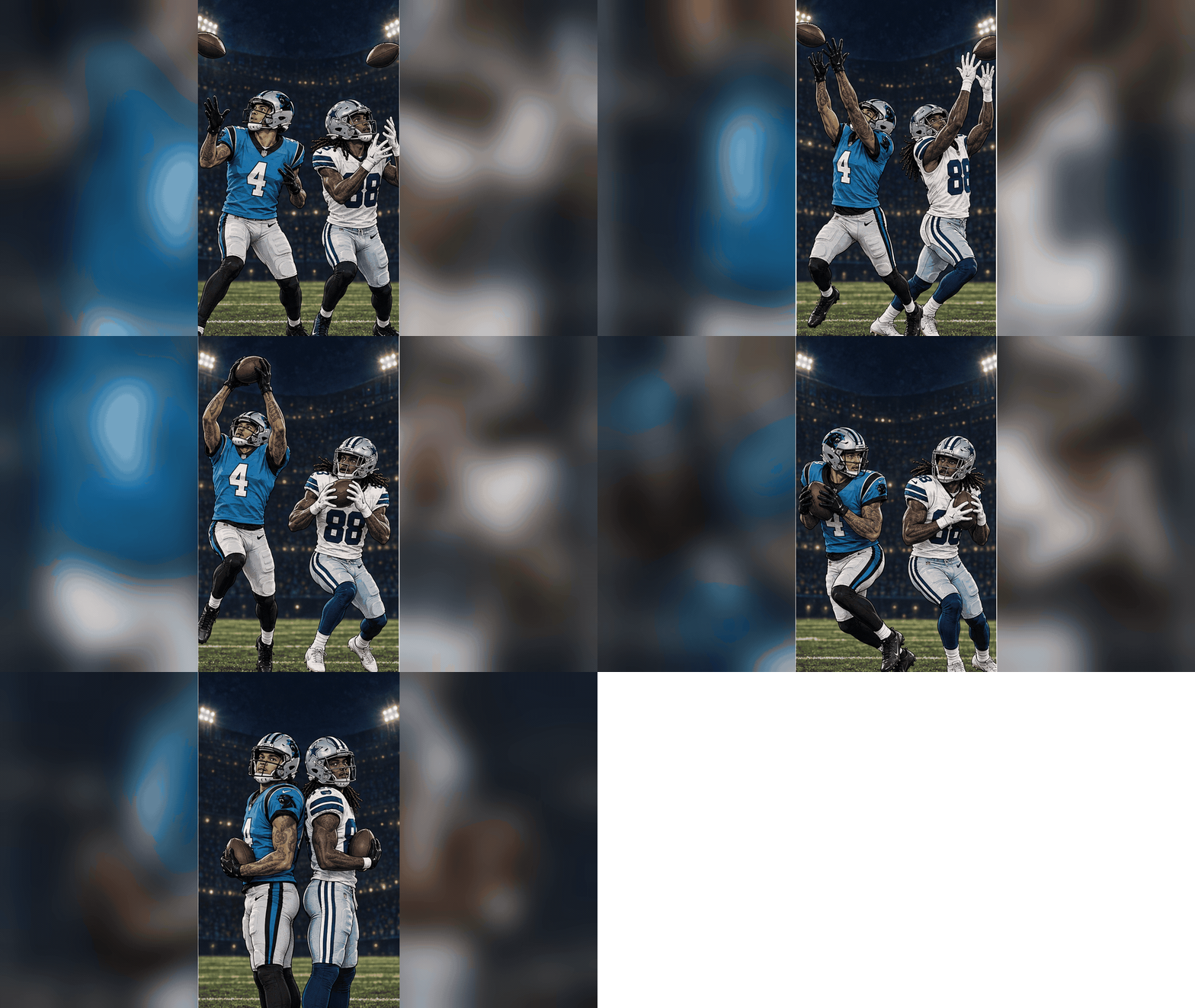
Week 4: Two High-Scoring WRs — This animation highlights two of the week’s highest-scoring wide receivers following career-high performances.
Wiring
ChatGPT Codex agents
Spec + plan + test pipeline
chatgpt.site hosting
Access-code gate
ESPN as system of record
Once-per-session intro gate
Generated animation sequences
Dated release archive
Gandy AI Brief: daily briefings + a generated podcast
Daily
A private site that keeps my friends and family current on AI
without the noise. Every weekday it publishes two written reports,
an AI digest and a frontier-and-power brief, and then narrates them:
the day's reports become one six-to-eight minute podcast episode,
synthesized with Gemini text-to-speech, stored once, and streamed to
every listener after that. Sundays it cuts a weekly recap from the
weekend reports instead.
The pipeline is deliberately defensive: audio only generates when a
day's full report set exists, a scheduled publisher triggers
narration through a protected token so the API key never leaves the
server environment, and a failed narration never blocks the written
brief.
Wiring
Gemini TTS API (server-side key)
Cloudflare R2 audio storage
Cloudflare D1 + Drizzle
Scheduled publisher + trigger token
Authenticated private site
Daily report registry
Agent Journal: the memory all of this runs on
In daily use
Every project on this page is coordinated through Agent Journal.
It's an MCP server that my AI agents mount alongside me: Claude,
Codex, and Gemini agents all read the same journal, pick up
assignments, leave questions as asks, and answer each other on the
record. Raw entries keep exact provenance of who wrote what; an
AI-formatted reading layer sits on top so long threads stay
scannable; projects, shared context, and a kanban board ride along.
This portfolio itself was built that way: briefs and corrections
went into the journal, and different agents in different tools
carried the same context across sessions and days.
A working method for creative content: Claude and ChatGPT do the
orchestration, Higgsfield AI and Google Flow do the rendering, and I
direct. Brand references go in so generated art matches real product
identities; stills get animated into motion with image-to-video
models; everything is reviewed, regenerated, and cut like any other
production footage.
I also integrate advanced LLMs with Blender to previsualize camera positions and set blocking before generating video. In my workflow, the AI output has largely matched the previs one to one, reducing regenerations and helping keep the cost of AI video production down.
From previz to generated footage
Blender → AI
PrevizGenerated↔
Static frames · videos paused
Blender camera and set blocking alongside the generated shot. Playback aligns relative progress across the two clips.
Drag the divider, or use its slider with the arrow keys.